> For the complete documentation index, see [llms.txt](https://help.fielddoc.org/llms.txt). Markdown versions of documentation pages are available by appending `.md` to page URLs; this page is available as [Markdown](https://help.fielddoc.org/changelog/2025.md).
# 2025
A rundown of our latest releases, improvements and fixes
{% updates format="full" %}
{% update date="2025-06-27" %}
## Geometry editor file import and consolidated metric tables
### Import single geometries from a file
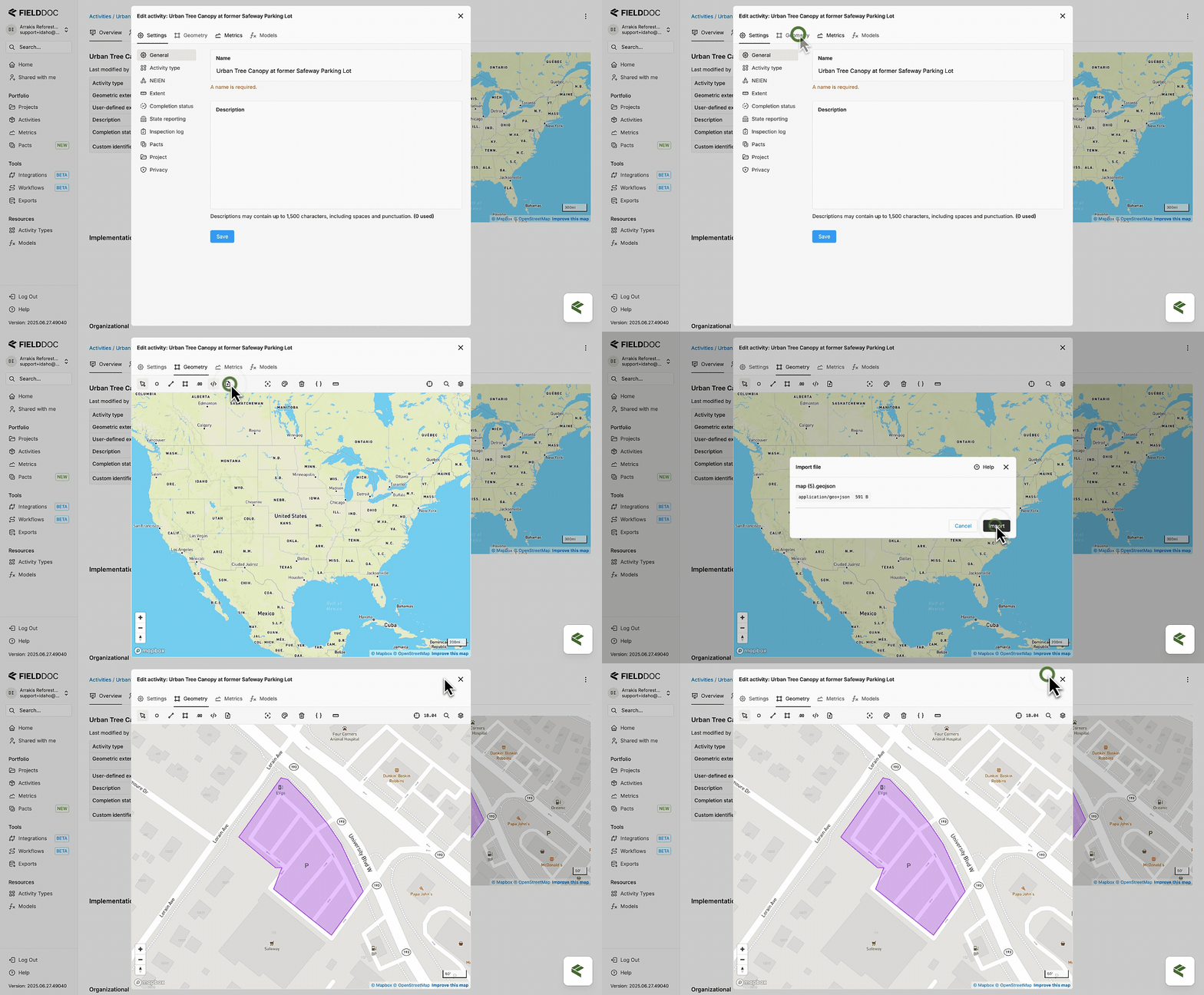
You can now import individual geometries from a file using the map editor toolbar. Supported formats include CSV, ESRI Shapefile, GeoJSON, and KML.
* When editing a single activity, FieldDoc adds the imported geometry directly to the record.
* When working with activity collections:
* If you select an activity, FieldDoc adds the geometry to it.
* If you don't select an activity, FieldDoc creates a new activity record.
Support for importing multiple features at once is coming soon.
:seedling: Learn more about [Geometry](/essentials/activities/geometry.md) here.
### Track planned and implemented metric values from a single view
We streamlined batch editing for metric values by consolidating all data into one table, found on the **Metrics** tab. You can view metric targets in the `planned_value` column alongside reported values in the `implemented_value` column. This change eliminates the need to switch between tables and copy-paste starter rows. The obsolete **Implementation** tab will be removed in a future release.
{% endupdate %}
{% update date="2025-05-05" %}
## Activity un-linking and expanded activity type list
### Unlink activities from pacts and projects
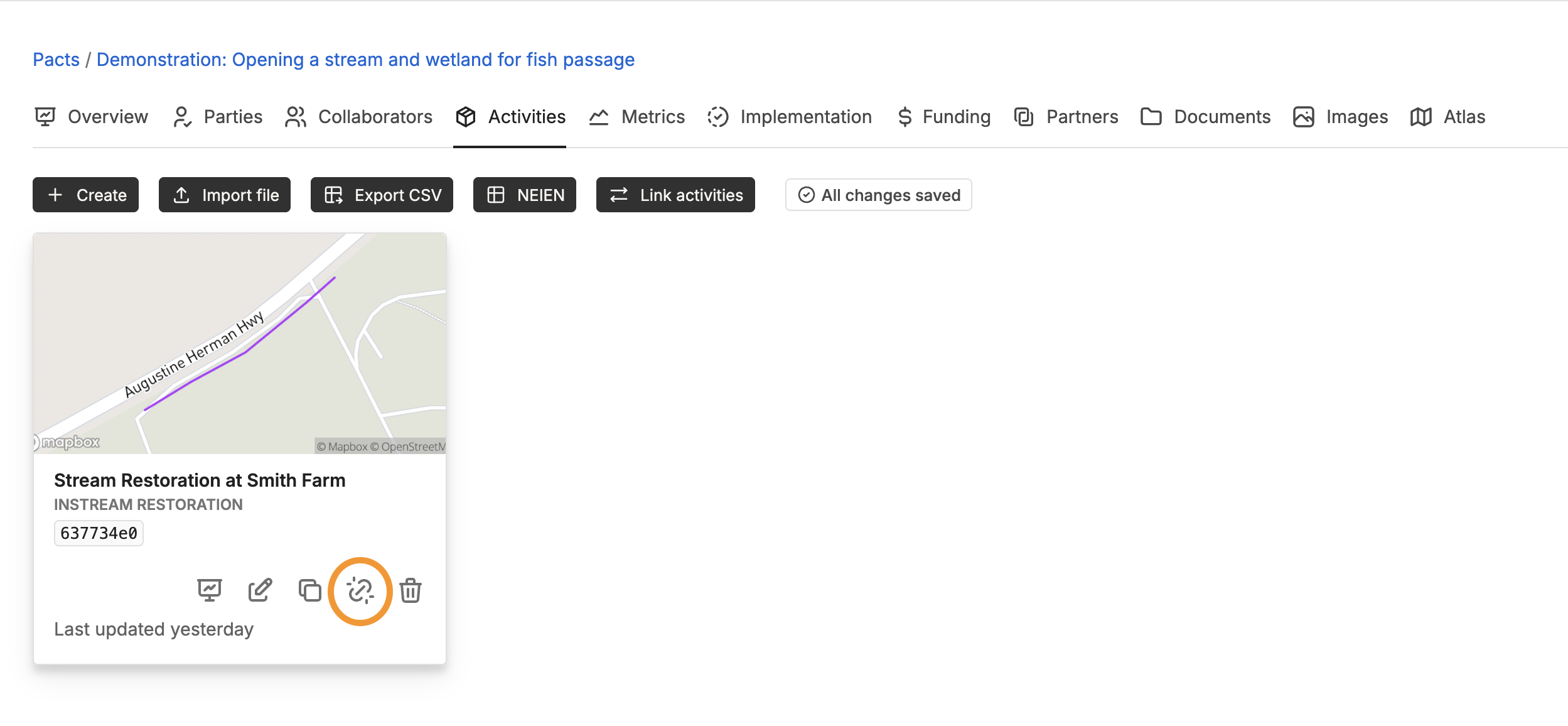
We added a new "unlink" action for removing activities from pacts and projects. You can use the unlink feature to safely adjust activity collections without accidentally deleting records.
### Select new social activity types from the universal list
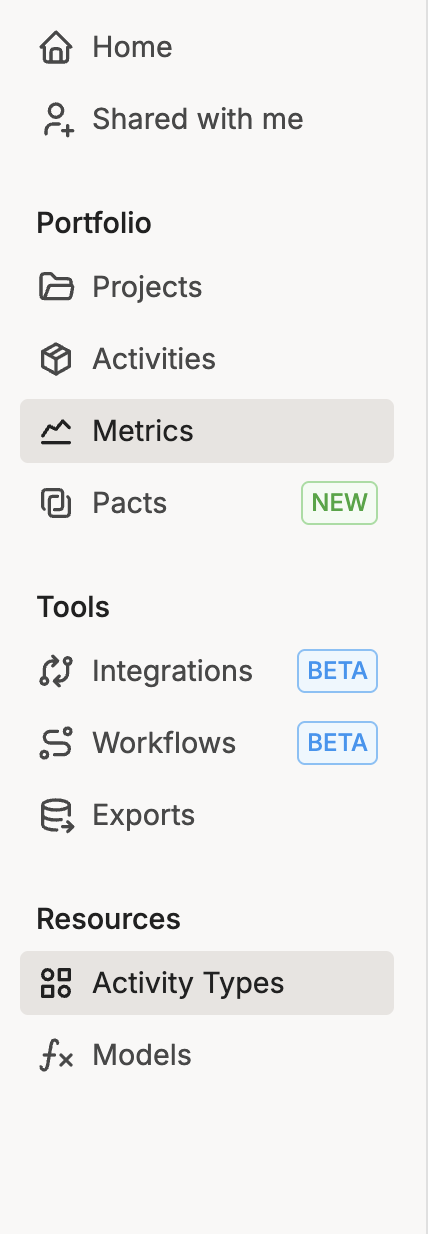
To capture the broader umbrella of funded activities, we added several social categories to the list of available activity types. You can review all types under the **Resources** section on your sidebar. New options include:
* Economic benefits
* Monitoring
* Outreach/education/technical assistance
* Project management
* Public access
* Research
* Tool development for decision-making
* Volunteer participation
{% endupdate %}
{% update date="2025-04-28" %}
## Navigation via breadcrumbs
### Navigating Within a Pact or Project
We’ve updated the breadcrumb behavior so that navigation now stays consistent with your current context. In other words, if you’re working within a Pact, you can now move back and forth between Pact Activities and the Pact overview *without* being shifted into the Project or portfolio views.
### Organization Setup
When setting up a new account, users with unrecognized email domains will be prompted to create a new organization in FieldDoc. To prevent duplicate organizations from being created, we’ve added backend checks that help consolidate records and streamline collaboration.
This change makes it easier for users to find and join existing organizations, improving the experience for everyone.
If you're blocked from creating an organization, or explore creating multiple workspaces within one organization, please contact us at **** and we’ll help you sort it out.
{% endupdate %}
{% update date="2025-04-04" %}
## Autonomous on-boarding
### On-boarding
**We’ve completely reimagined onboarding in FieldDoc to make it faster, clearer, and way more helpful.** While the core steps may look familiar, the entire flow has been streamlined behind the scenes to reduce friction and help you get up and running without missing a beat.
Now, when you create a new account, you’ll see a simplified onboarding experience that gets right to the point. We’ve removed the need to rely on existing users to approve additional staff within an organization, added smarter prompts, and introduced helpful guidance at each stage—so you always know what to do next.
Plus, we’ve improved how roles and permissions are assigned when you join or create an organization. You’ll get clearer feedback about what you can do and where to go next. And if you’re inviting others to join your team, we’ve made that process smoother too—no more guesswork.
**All in all, this is a major step forward in making FieldDoc easier to adopt and more intuitive to use from day one.** If you’re spinning up a new application to a funding opportunity or building a portfolio of nature-based work for your organization, you’ll notice the difference right away.
As always, if you hit any snags or have ideas to make onboarding even better, drop us a line or share your feedback directly in the app.
{% endupdate %}
{% endupdates %}
---
# Agent Instructions
This documentation is published with GitBook. GitBook is the documentation platform designed so that both humans and AI agents can read, navigate, and reason over technical content effectively. Learn more at gitbook.com.
## Querying This Documentation
If you need additional information that is not directly available in this page, you can query the documentation dynamically by asking a question.
Perform an HTTP GET request on the current page URL with the `ask` query parameter, and the optional `goal` query parameter:
```
GET https://help.fielddoc.org/changelog/2025.md?ask=&goal=
```
`ask` is the immediate question: it should be specific, self-contained, and written in natural language.
`goal` is optional and describes the broader end goal you are ultimately trying to accomplish on behalf of the user. GitBook uses it to tailor the answer towards what is most useful for that goal.
The response will contain a direct answer to the question and relevant excerpts and sources from the documentation.
Use this mechanism when the answer is not explicitly present in the current page, you need clarification or additional context, or you want to retrieve related documentation sections.